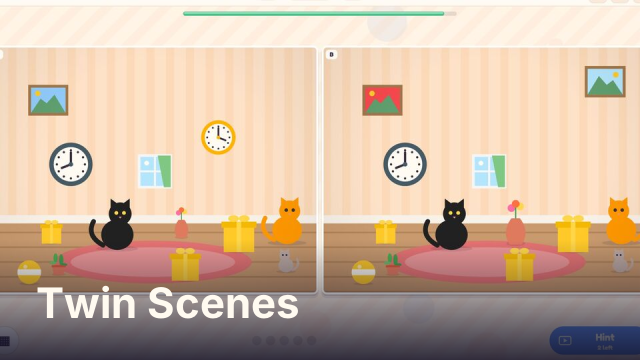
Controls
Tap or click a difference on either picture to circle it. Tap Hint to have one circled for you, and the level button to pick a scene. Keys: H hint, L level list. P or Esc pauses.
How to play Twin Scenes
Two copies of the same drawing sit side by side, A and B. Picture B has exactly five changes. Something may be missing, painted a new colour, made bigger or smaller, flipped the other way or added. Tap the spot on either picture and a circle marks it as found. Find all five to finish the scene.
A timer runs at the top. A tap on a spot that has not changed takes three seconds off the clock, so careful looking pays more than tapping everywhere. The more time left at the end, the more stars the scene earns.
Scenes and levels
There are 72 scenes drawn in 20 settings, among them a cozy room, a sunny beach, a farm, a coral reef, a space station, a candy shop, a pirate cove, a classroom and a spooky night. The first scenes give 90 seconds, and the time slowly drops to 60 as the pictures get busier. From scene 49 on, a difference can also be an object that has been tilted.
Each finished scene opens the next one, and the level list lets your child go back to any scene already opened to try for more stars.
Tips for grown-ups
- Suggest looking at one part of the picture at a time, top to bottom, instead of jumping around. It also saves the time lost to wrong taps.
- Colour and size changes are easier to spot for young players. Flips and missing objects are the tricky ones, so a nudge toward those helps.
- Any scene can be replayed from the level list, so a scene that ran out of time is never lost.
- A scene can offer a short ad for a hint that circles one difference, up to two per scene, and when time runs out an ad can add 30 seconds once. Skip it and nothing happens, and the button stays.
FAQ
Is Twin Scenes free?
Yes. It is free to play in your browser, with no download and no account.
Can I play on a phone or tablet?
Yes. Tap the differences with a finger. The two pictures resize to fit the screen.
Is it suitable for children?
Yes. The scenes are friendly drawings with nothing scary beyond a cartoon ghost or bat on the spooky night. There is a timer, so younger children may need a hand, but a scene can always be played again.
Is my progress saved?
The scenes your child has opened and the stars earned on each are saved in your browser on this device.