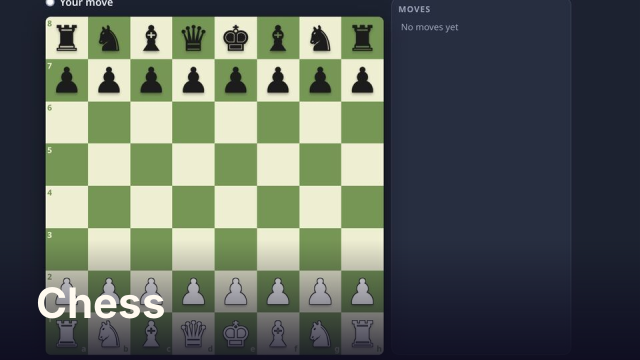
Controls
Click or tap one of your pieces to see where it can go, then tap a marked square to move it. Tap the piece again to cancel. The menus above the board set the mode, the computer's level and your color, and the buttons start a new game, undo a move and flip the board. There are no keyboard shortcuts.
How to play Chess
White moves first. Tap a piece and dots appear on the squares it can move to, with a ring around any piece it can capture. All the standard rules are in: castling on either side, en passant and pawn promotion, where you choose a queen, rook, bishop or knight. A move that would leave your own king in check is not allowed, so only legal moves are marked, and a king in check glows red.
Checkmate the enemy king to win. The game is a draw by stalemate, when the same position comes up three times, after 50 moves by each side with no capture and no pawn move, or when neither side has enough left to mate: king against king, or king and one bishop or knight against a lone king. The move list beside the board records the game in standard notation, and the captured pieces show who is ahead in material.
Playing the computer or a friend
In vs Computer mode you choose Easy, Medium or Hard and whether you play White or Black. Easy only looks at the move in front of it, picks among the decent ones and now and then plays a random move. Medium and Hard search further ahead, Hard the furthest, and both play out the follow-up captures so they rarely leave a piece hanging. Play Black and the board turns so your pieces are at the bottom, and the computer makes the first move.
2 Players mode is for two people sharing one screen, taking turns with White and Black. Flip turns the board around at any time. Undo takes back the last move, or in vs Computer your last move and the computer's reply, as often as you like, even after checkmate. You can change the computer's level in the middle of a game and it applies from its next move, while changing the mode or your color starts a new game.
Tips and tricks
- Start on Easy to learn how the pieces move. Tap any piece and the dots show every square it can legally reach.
- Castle early. It moves your king away from the center and brings a rook into the game in one move.
- Watch the number next to the captured pieces. It counts pawns as 1, knights and bishops as 3, rooks as 5 and the queen as 9, so you can see at a glance whether a trade helped you.
- Undo is free and unlimited. On Hard, take back a blunder and look for a better move instead of starting over.
FAQ
Is Chess free?
Yes. It is free to play in your browser, with no download and no account.
Can I play on a phone or tablet?
Yes. Tap a piece and then the square you want. The board and move list resize to fit the screen, and turning a phone sideways gives the board the most room.
Why can I not move a piece?
It may not be your turn, or the computer may still be thinking. Otherwise the move would leave your king in check. When your king is in check, only moves that get it out of check are allowed.
Is my progress saved?
No. Nothing is saved. A game in progress is lost if you close or reload the page, and the next visit starts a new game.