Controls
Hold the Right arrow or D for gas and the Left arrow or A to brake and reverse. In the air, tilt the car with the Up and Down arrows or W and S. On touch screens, hold the right half of the screen for gas and the left half to brake; in the air, right leans back and left leans forward. P or Esc pauses.
How to play Gravity Garage
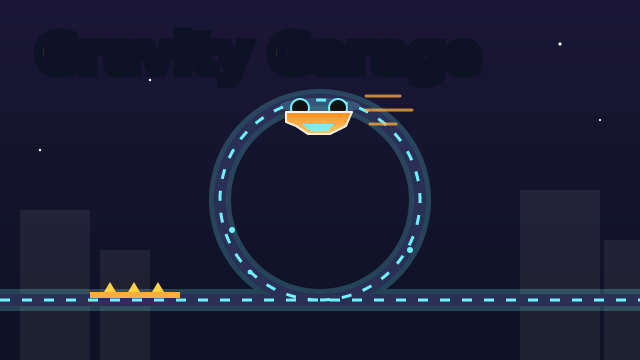
Drive from the garage to the checkered flag on tracks that twist up walls, around loops and along the ceiling. Hold gas to speed up, and use the brake or reverse when you need to slow down.
Steep roads only hold your car while you are moving fast enough, so a GRIP warning appears when you are close to the limit. Go too slowly on a wall or the ceiling and you fall off. Boost strips on the road give you a quick burst of speed for exactly these moments.
Jumps, checkpoints and stars
Some ramps and crests launch the car into the air. While you are airborne you can tilt the car to line the wheels up with the landing, because landing on the roof or nose-first is a crash, and so is a very hard landing. A clean landing after a long flight gives you a little extra boost.
Checkpoints are marked along the way, and the finish gives you 1 to 3 stars depending on your time. The star times are shown on the level complete screen and get longer in the later levels. There are 14 tracks in all, from First Gear to Garage Legend, and you unlock them one after another.
Tips and tricks
- Hit a boost strip right before a wall, loop or ceiling so you arrive with plenty of speed.
- Do not lift off gas halfway up a wall. Speed is what keeps you stuck to it.
- In the air, aim to land with the wheels parallel to the road, not just pointing at it.
- Race for stars on tracks you have already finished: your best time is saved for each level.
- After a crash you can watch a short ad to continue from your last checkpoint, once per level. Restarting the level is always free.
FAQ
Is Gravity Garage free?
Yes. It is free to play in your browser, with no download and no account.
Can I play on a phone or tablet?
Yes. Hold the right half of the screen to drive and the left half to brake. In the air the same two halves tilt the car.
Why does my car fall off walls and ceilings?
The road only holds the car while it is going fast enough. Use boost strips and keep the gas down as you go up, and watch the GRIP warning.
Is my progress saved?
Your unlocked tracks, your stars and your best time for each level are saved in your browser on this device.